SolutionsBusiness workspace
Business finance
Business mode keeps sales, services, supplies, rent, and staff costs away from household spending. It does not file taxes, run payroll, or share the login with a partner.
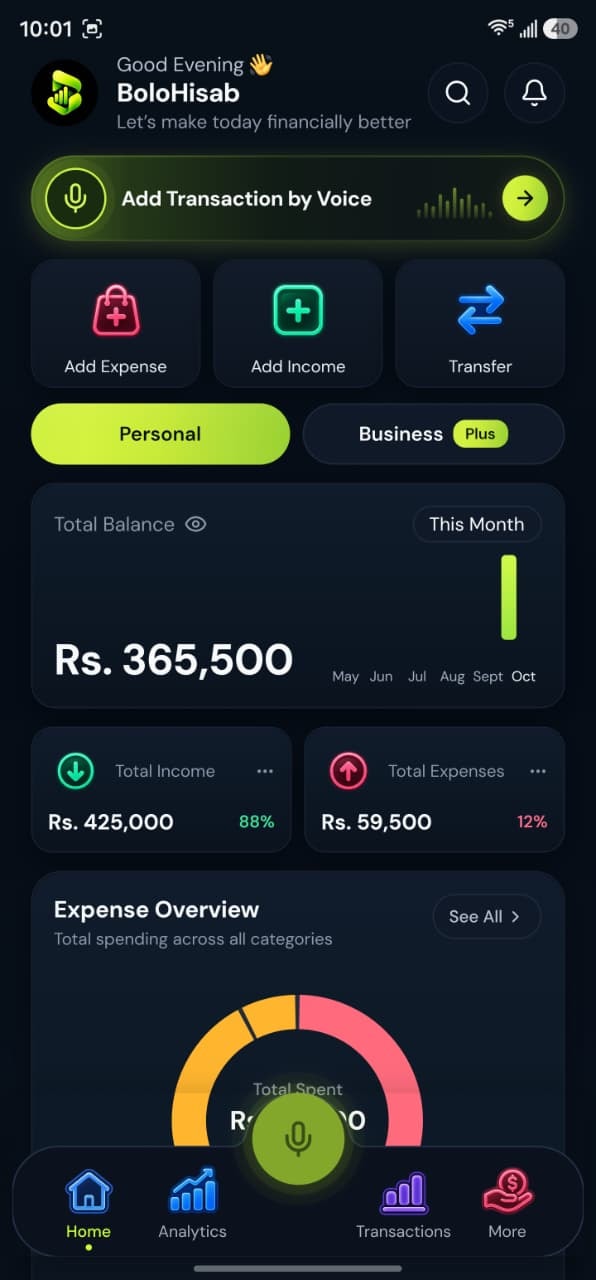
- Business workspaceSales, supplies, staff costs
- CSV and PDFCSV on every plan, PDF on Plus
Why it fits
Built around the records you already keep
A separate business workspace for income, sales, and staff costs.
Income the business received
Sales, services, freelance, and business income are business categories. Record them while the Business space is selected.
Costs with their own names
Office supplies, client meals, travel, software, marketing, office rent, shipping, inventory, utilities, equipment, insurance, and staff salaries are categories, not modules.
Cash and the bank
Add both as accounts. A deposit is a transfer, so it does not look like a new expense or a second sale.
A file for an accountant
CSV export of the business records works on every plan; PDF statements are on Plus and Pro. The file is a copy of what you entered.
Get set up
A way to use what already exists
No extra module to switch on. The same app, used in the order that suits these records.
- 1
Choose Business or Both
Pick Business at setup, or Both to keep household records next to it on Plus and Pro.
- 2
Switch before you record
Select the Business space on the home screen, then speak the sale or the cost. The draft shows the workspace before you save.
- 3
Review that workspace
Reports and budgets follow the selected workspace, so the business chart is not your household chart.
Good to know
BoloHisab does not file taxes, run payroll, manage stock quantities, or share one business login between partners.
Is Business a second login?
No. Business is a workspace inside your own account. You switch between Personal and Business on the home screen.
Can two partners log in to one business?
An account is one person’s login. There is no shared multi-user company workspace in the current product.
Can I give my accountant a file?
Yes. Export CSV on any plan, or a PDF statement on Plus and Pro. It is a copy of the records you entered.