
Core featureVoice
Voice expense tracker
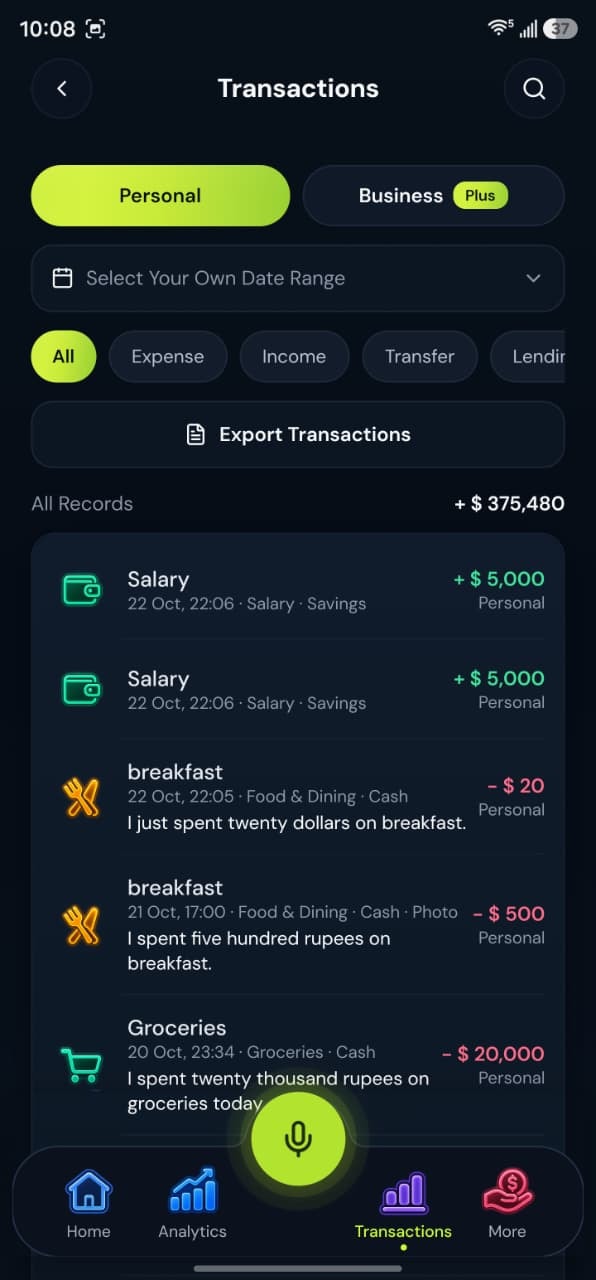
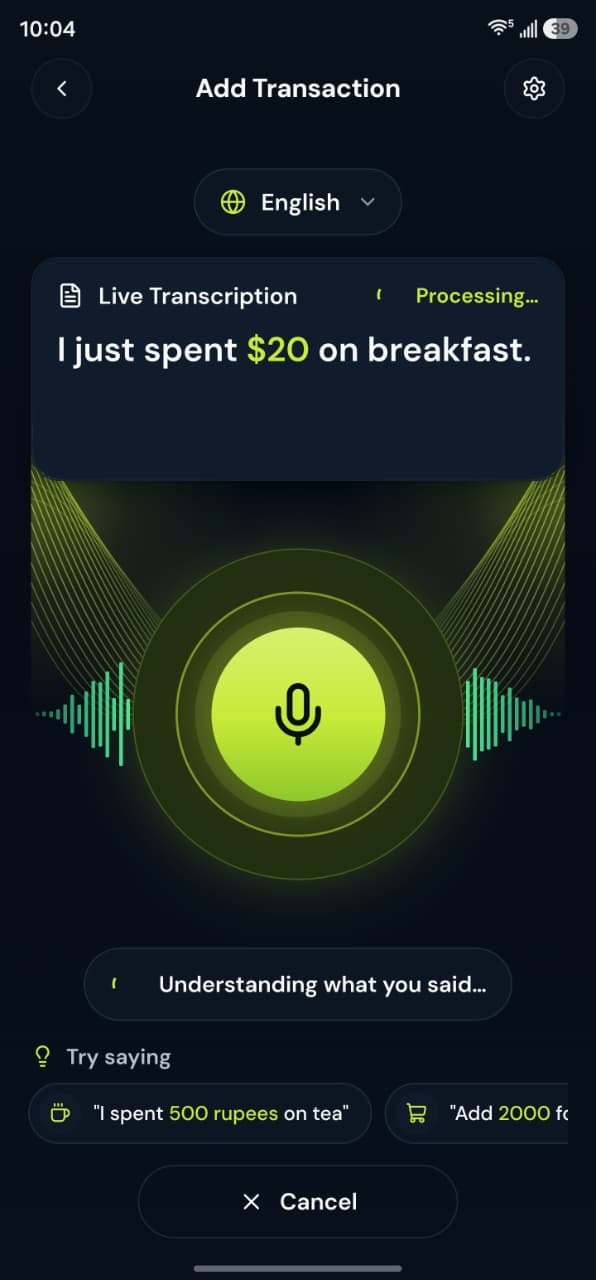
Say what you spent or received. BoloHisab listens, drafts a transaction, and waits for you to confirm it.
How it works
Speak, check the draft, and save. Speaking alone never writes the ledger.
1Speak
Open the voice action and say the amount, what it was for, and, if you want, the account or workspace.
2Understand
The server interprets the recording. It does not save a transaction by itself.
3Review
Check the type, amount, category, account, date, and Personal or Business space.
4Confirm and save
Save when the draft matches what you meant. You can correct a field before saving, or enter the same transaction by hand.
Voice examples
You can speak naturally in English, Urdu or Roman Urdu. Each phrase becomes a draft you check before saving.
“I had lunch for 500 rupees today.”
Draft:
- Expense
- Food & Dining
- Rs. 500
“I received 50,000 from freelance work.”
Draft:
- Income
- Freelance
- Rs. 50,000
“Transfer 10,000 from Easypaisa to HBL.”
Draft:
- Transfer
- Easypaisa to HBL
- Rs. 10,000
Supports multiple accounts
Record transactions in cash, bank accounts and wallets. BoloHisab does not connect to them; each balance follows what you record.
- Cash
- JCJazzCash
- EEasypaisa
- SPSadaPay
- NPNayaPay
- HBLHBL
- UBLUBL
- Add your own
Common accounts in Pakistan. Names are suggestions; add any account by name.
What this feature gives you
The home screen is built around a voice action. You speak a transaction in plain language. The recording is interpreted on the server into a draft. Nothing is stored as a transaction until you review it and save it.
A draft, not an automatic posting
Voice interpretation returns a decision you can accept. The voice service is written so that speaking alone does not create the ledger row.
Manual entry stays available
Add Expense, Add Income, and Transfer are on the home screen when you would rather type.
Short recordings
Very long audio is rejected. A shorter phrase is more reliable than a long story.
Questions about this feature
More answers in the help desk.
Does speaking save the expense immediately?
No. The voice service interprets the recording and returns a draft. You review it and save it.
Which languages can I speak?
Voice replies are English, Urdu, and the Roman-script option. Other interface languages still use English for the voice reply.
AI transaction entry
Speech is turned into fields you can check: type, amount, category, account, and workspace.
Learn moreMultilingual voice entry
Speak in English, Urdu, or Roman Urdu. The app interface itself can be shown in 14 languages.
Learn moreIncome and expense tracking
Record money in, money out, and transfers between your own accounts.
Learn more
