
Core featureLedger
Income and expense tracking
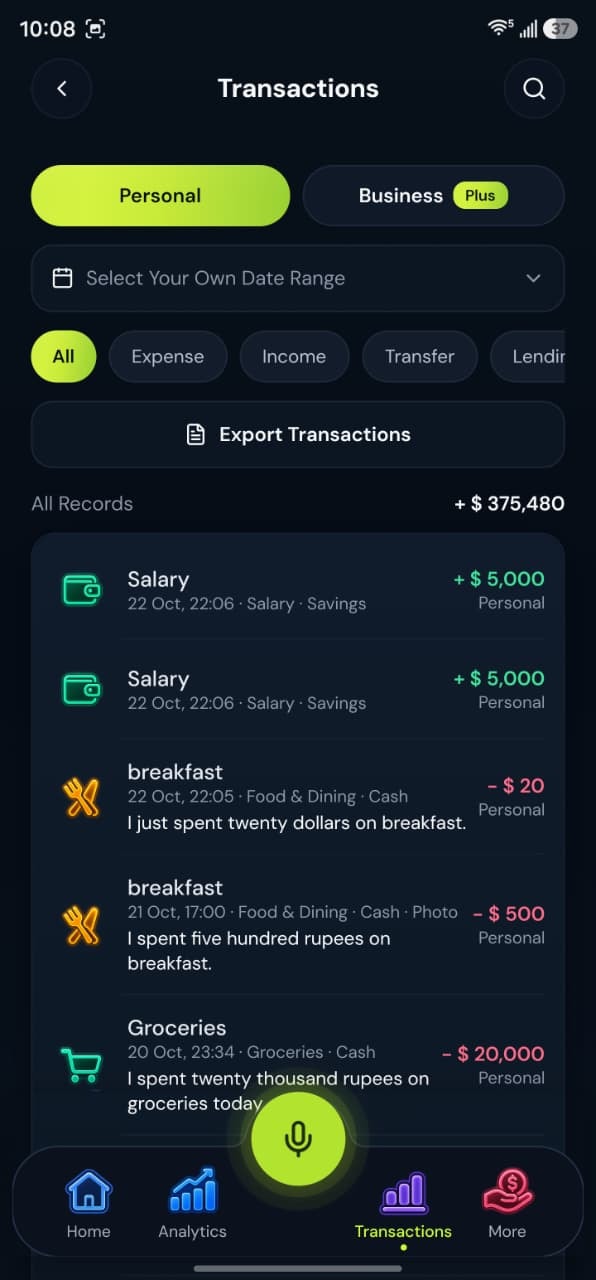
Record money in, money out, and transfers between your own accounts.
How it works
Adding a record is simple. Add it, file it, and find it again later.
1Add it
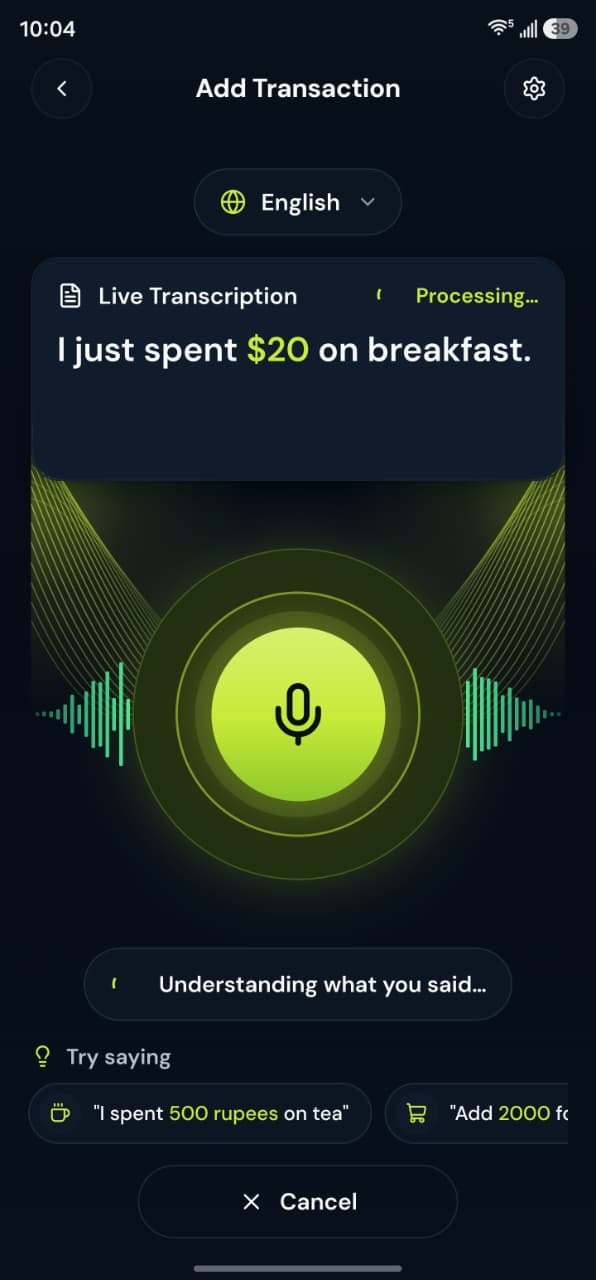
Use voice, or use Add Expense, Add Income, and Transfer.
2Categorize it
Personal categories include food, groceries, transport, fuel, rent, bills, and others. Business categories include sales, services, office supplies, and staff salaries.
3Put it in a workspace
Each record belongs to Personal or Business, so household tea does not sit in the same list as a client payment.
4Find it later
Transactions can be opened, edited, and included in reports. CSV export is on every plan; PDF statements are on Plus and Pro.
Voice examples
You can speak naturally in English, Urdu or Roman Urdu. Each phrase becomes a draft you check before saving.
“I had lunch for 500 rupees today.”
Draft:
- Expense
- Food & Dining
- Rs. 500
“I received 50,000 from freelance work.”
Draft:
- Income
- Freelance
- Rs. 50,000
“Transfer 10,000 from Easypaisa to HBL.”
Draft:
- Transfer
- Easypaisa to HBL
- Rs. 10,000
Supports multiple accounts
Record transactions in cash, bank accounts and wallets. BoloHisab does not connect to them; each balance follows what you record.
- Cash
- JCJazzCash
- EEasypaisa
- SPSadaPay
- NPNayaPay
- HBLHBL
- UBLUBL
- Add your own
Common accounts in Pakistan. Names are suggestions; add any account by name.
What this feature gives you
A BoloHisab ledger is a list of records you enter. Expense, income, and transfer are separate types. Lending, borrowing, repayment, refund, and adjustment are separate again, because they are not the same as a shop receipt or a salary.
Transfers are not expenses
Moving money from cash to your own bank is a transfer. It should not look like spending.
Refunds stay visible
A refund is its own type, so a returned purchase is not hidden inside a new income category by accident.
Your currency
The default currency is PKR. The profile can use another currency, including USD, AED, EUR, GBP, SAR, INR, and BDT. The app does not convert between currencies for you.
Questions about this feature
More answers in the help desk.
Can I edit a saved transaction?
Yes. Open the transaction from the list and edit it.
Does this connect to my bank?
No. You record the transaction. BoloHisab does not pull a bank feed.

Financial accounts
Keep cash, bank, card, wallet, and savings balances that you update yourself.
Learn morePersonal and business workspaces
One account can keep a Personal workspace, a Business workspace, or both together on Plus and Pro.
Learn moreAnalytics and reports
See income, expenses, and category totals for the workspace you are viewing. CSV export on every plan; PDF on Plus and Pro.
Learn more
