
Voice transactions
Voice transactions
Speak, wait for the draft, and save only if the fields are right.
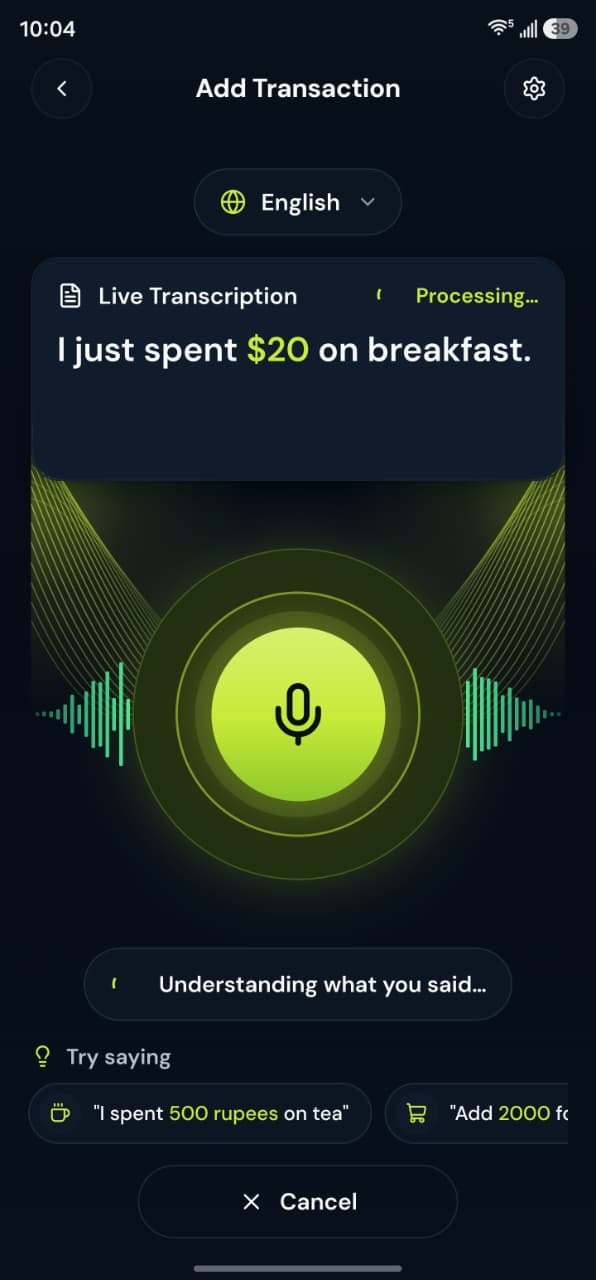
- Hold to speakReview the draft, then save
- Personal + BusinessOne login, two workspaces
Help
What to know
- Use Add Transaction by Voice on the home screen, or the voice page on the web dashboard.
- Allow the microphone when the device asks. If access is denied, the voice screen says the microphone is needed.
- The server interprets the audio. It does not save the transaction. Review type, amount, category, account, and workspace.
- A recording that is too long is rejected. Speak a shorter expense.
Take control today
Manage your money,
the easier way.
Speak, track, and stay in control of your personal and business finances with BoloHisab Wallet.
- Voice First
- Smart Insights
- Safe & Private
